
PBIX
I remember times when me and two other developers used to work on the same Power BI project and how much we struggled during development within same report. I do my piece of work -> then publish my report to the worspace -> then next person downloads it and makes his piece of work -> and publishes it back.
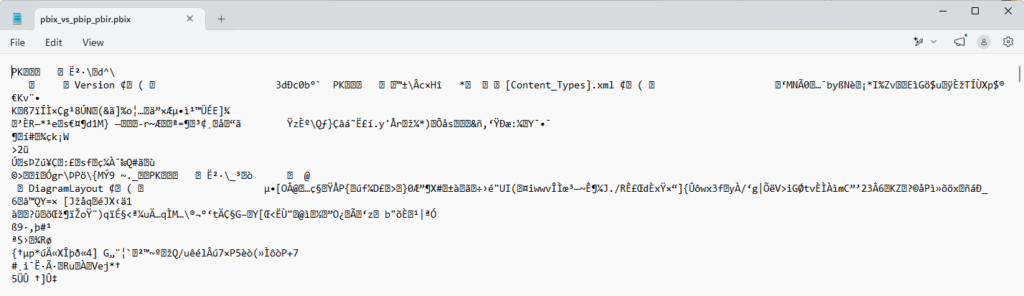
And I don’t even want to remind myself situations when someone accidentally forgot to download latest version of the report and published changed version. That could be days of work of another developer just gone. That’s why each of us had stored locally multiple versions of the report just in case we needed to revert some changes or bring back what we’ve already deployed. If you ever tried to open the .pbix file inside of VS Code for example, you will be familiar with such a message:

And if you tried to open it anyway, or just open the file inside any of the text editors, well, you had no chance.
Later on Tabular Editor became our best friend, we’ve separated model from reports and model development was done in .bim files. That was a game changer, we could edit everything in JSON – tables, columns, relationships, metrics. What is more – version control became possible, changes done in the code were clearly visible.
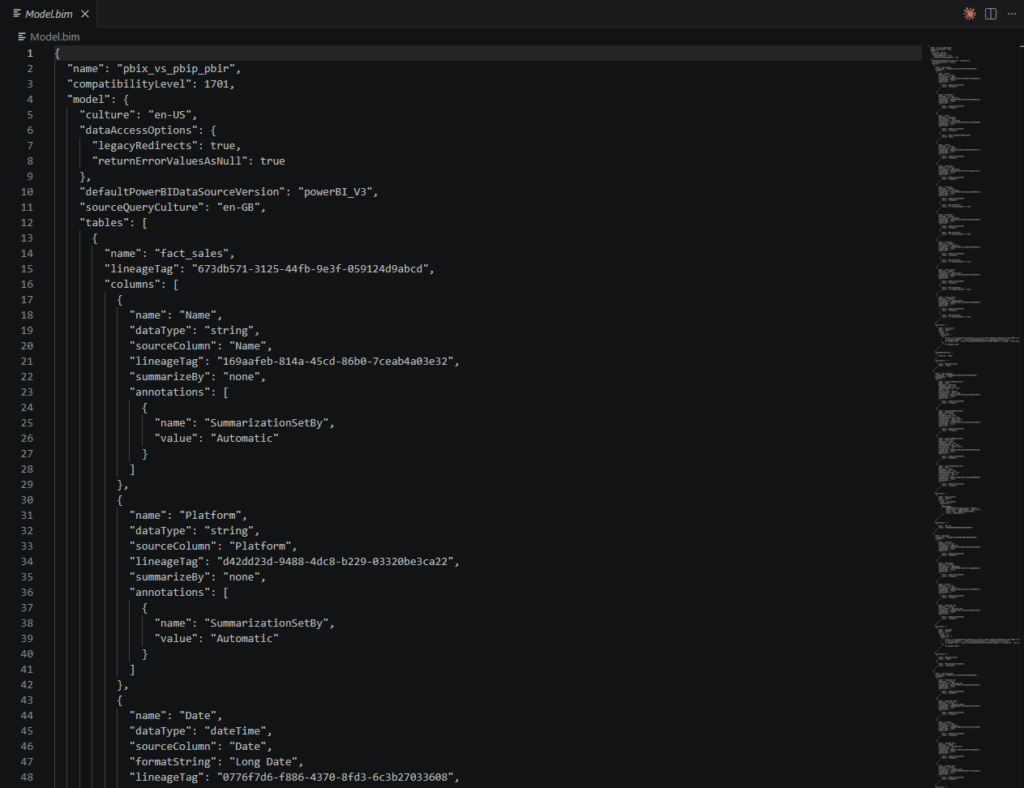
But still there were problems:
- .bim is a giant file, it easily could reach tens of thousands of lines.
- Merge conflicts still happened quite often if two developers worked in parallel on the same file
- Report layout still existed only inside .pbix
I saw really strong technical teams, who utilized every possible tool: Tabular Editor + Git + C# Scripts inside it + ALM Toolki + XMLA deployment, but still had to keep report itself in the repo as a file with visuals. Ah, dark old times…
To summarize my scary story: PBIX format is a legacy one, which used to be default file format for Power BI files up to 2026. It’s full of limitations, not readable by any of the text editors, no possibility of CI/CD pipelines, one developer could work on it at a time and what is also important in our modern era – it’s not compatible with AI.
PBIP
Microsoft was aware of limitations and in 2023 the prayers of developers were heard – the world saw Power BI Project Format. That did not really revolutionize the world of data, BUT – the report layout became editable in JSON and you did not need Tabular Editor to save the model as .bim, that was default for PBIP.
What you needed to do to be able to save your report as project, you had first of all activate that in the settings. Options and settings -> Options -> Preview Features -> Power BI Project (.pbip) save option.
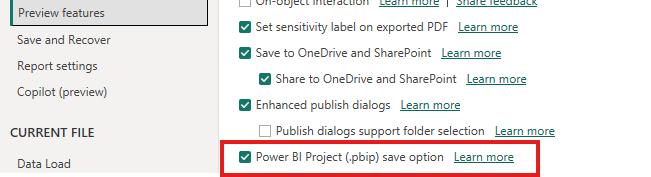
Once you activated that feature, you need to select that you want to save the report as .pbip

Couple of things will happen when save is complete.
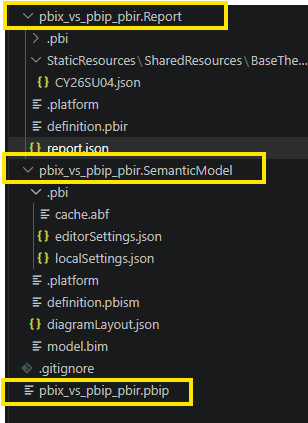
- 2 folders will be created: one for report and one for semanic model.
- pbip file itself will lose all the data stored there and you will see that it has just 1KB, but don’t be afraid – data is moved to cache.abf inside semantic model folder.
- Gitignore file will be created with cache.abf and localsettings.json
- Foder with semantic model will contain .bim file
- Folder with report, well, that would be .json file, but let’s be honest – that was never user friendly.
So to sum-up: users received a native Power BI feature to do what they were able to do, just with the help of external tools. Yes, changes in the report visuals were reflected in the report.json, you could edit theme as json and have proper version control using git, create pull requests and couple of developers were able to work on the same report at the same time, wait wait – seems that all that already was told. “This is not better than what we already had” – was the feedback Microsoft received.
PBIP on Steroids
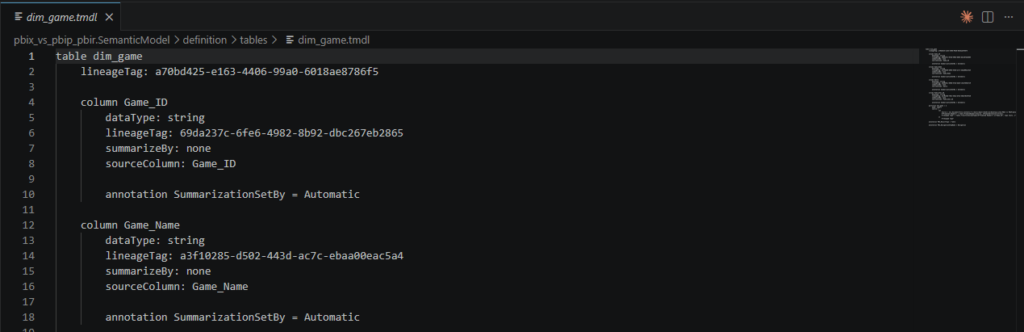
In March 2024 Microsoft has released a new preview toggle – store semantic model using TMDL – Tabular Model Definition Language. Basically this is a text-based language, which can be read and understood by humans. It was created specifically to describe Tabular semantic models. Every object in the model has received it’s own .tmdl file – easy to read, easy to edit and easy to maintain. That was already a revolution.
To activate it, you simply have to activate a second toggle in the settings:
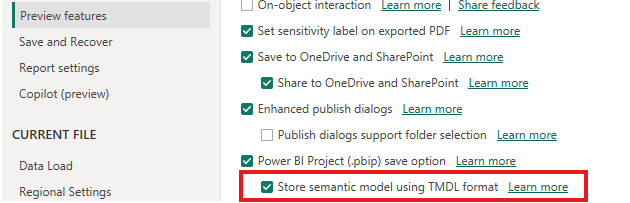
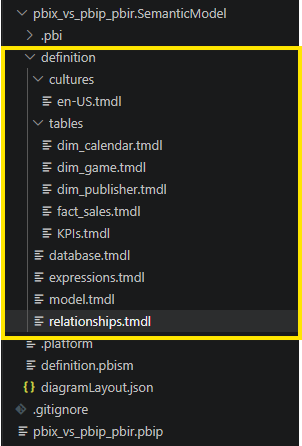
After saving the file as .pbip you are going to get the same folder structure as before, but if you look closer, you’ll see that there is no more .bim file. Big piece of monolyth json has gone.
Just look how easy is it to read the code now.
PBIR
What has been released as preview in mid 2024, became finally standard in 2026. I remember that after one of the Power BI monthly updates I have been working on report changes. I’ve saved my work and when I went to VS Code to commit my changes – I’ve saw that I have generated like 80 new files. I was really surprised, but then I saw what had happened – all the report pages and visuals have received their own json file. Every page became a folder with every visual having it’s own json, and what is more – it is readable.
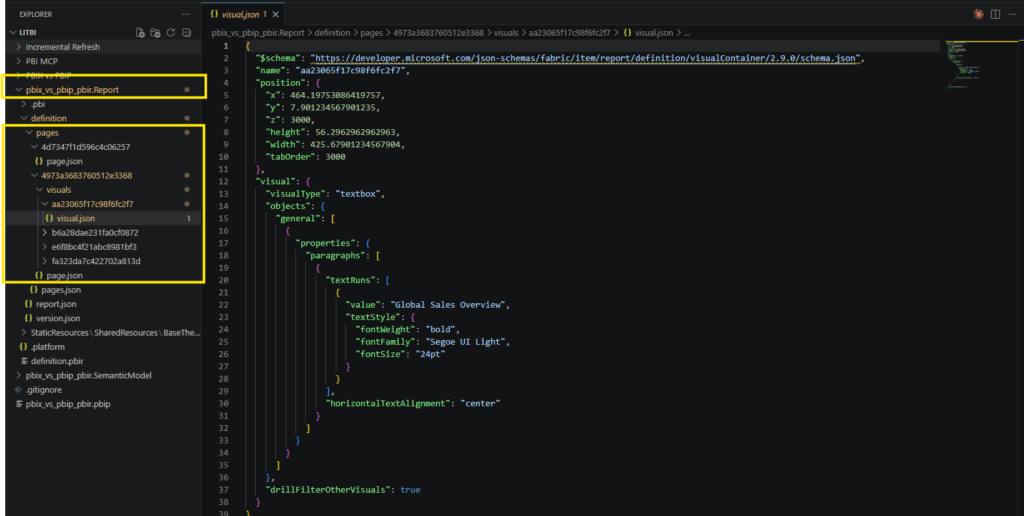
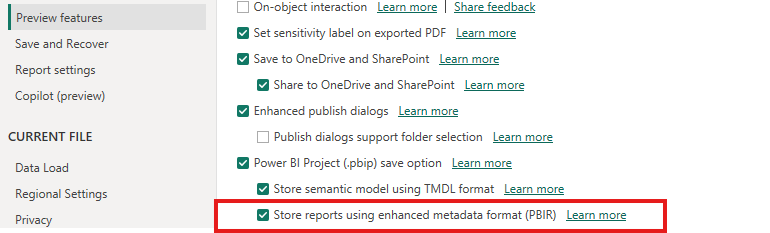
So PBIR is not in fact a file format itself, as you still need to save the project as Power BI project, but to make all the features available, you need to activate the last setting (all 3 should be activated all in all) – Store reports using enhanced metadata format (PBIR)
To sum-up: PBIP with TMDL and PBIR is becoming the default standard for serious enterprise Power BI development in 2026, and any new project should start there. You can have proper CI/CD, use AI tools to communicate with the model, easily change anything in the code itself, without even opening Power BI Desktop. Developers have received flexibility and full control, so if you still doubt – use PBIR and you won’t be wrong.